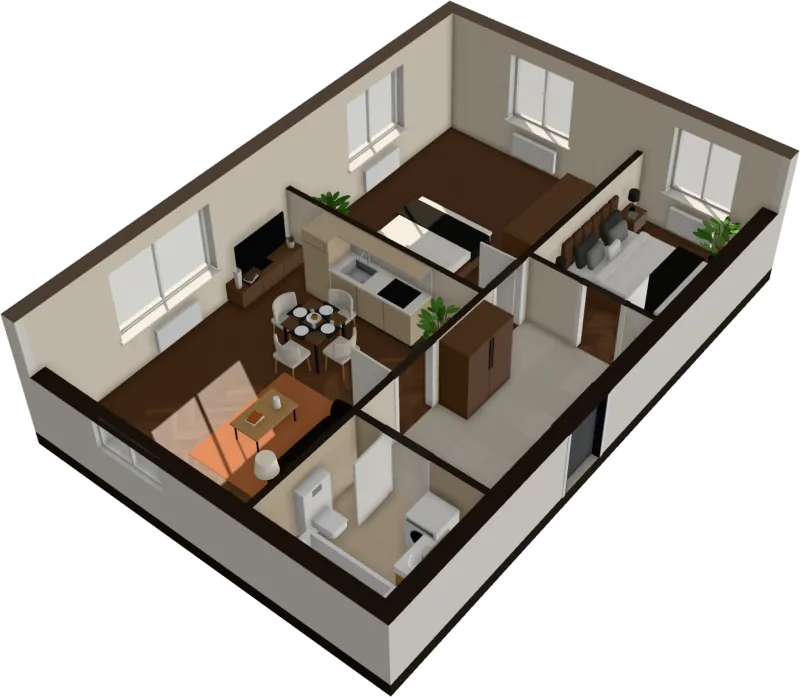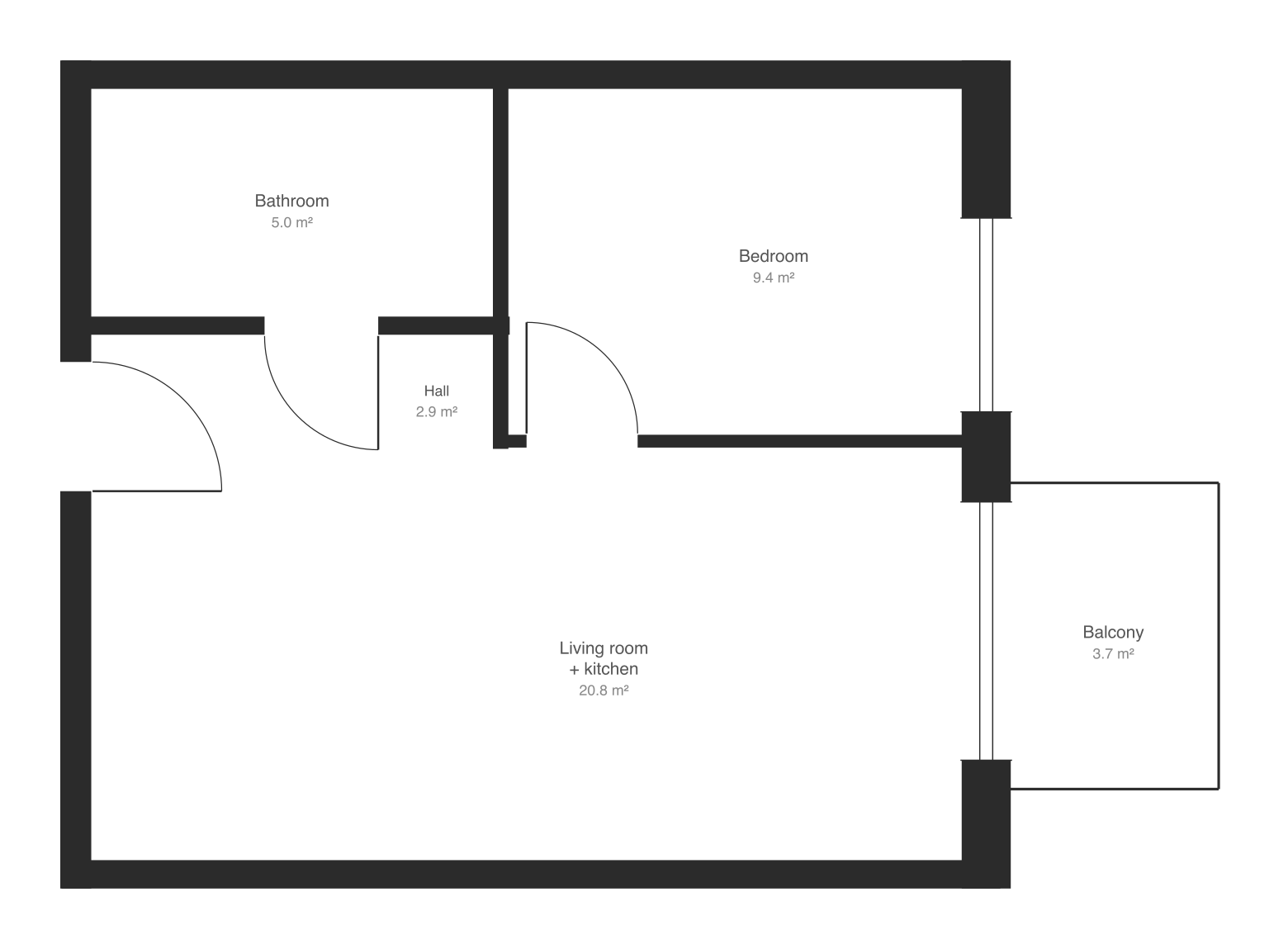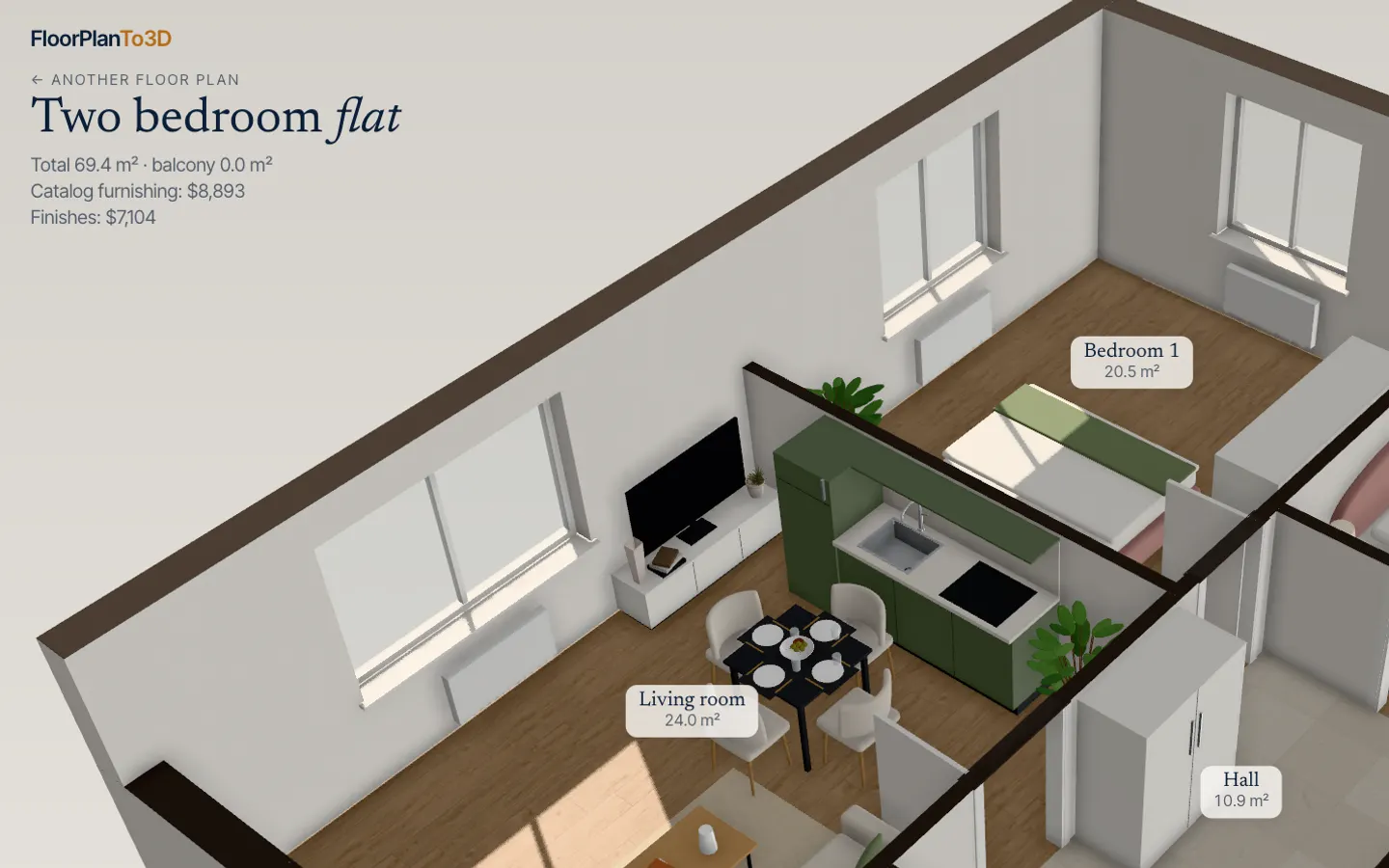
A 2D floor plan tells you the sizes. A 3D version tells you what the rooms will feel like: how far the sofa is from the window, whether the hall is a corridor or a space, what you see from the front door. There are four ways to convert a floor plan to 3D, and they differ far more in time, cost and accuracy than their marketing suggests.
The four ways at a glance
| Your time | Cost | Accuracy | What you get | |
|---|---|---|---|---|
| Draw it yourself in a planning tool | An evening for your first apartment, under an hour once you know the tool | Free to about $400 a year, depending on the tool | As good as your tracing | An editable model; stills, 360° views or a walk, depending on the tool |
| Hire a render service | 10 minutes to send the plan, then 1–5 days’ wait | From about $25 to several hundred dollars a plan | Good if the plan has dimensions; they redraw it by hand | Still images, sometimes a 360° tour |
| AI converter | Seconds to minutes | Free trials, then per plan or a subscription | Varies widely: from exact geometry to a picture that only looks like your apartment | An image, or an editable model, depending on the tool |
| FloorTo3D | About a minute | You see the plan read first; $29 to keep one apartment | Walls, doors and windows read from the drawing, scaled to the area you type | A furnished 3D apartment you can walk through, plus photo, video and GLB exports |
The rest of this guide goes through each in turn, then covers the two things that decide the result whichever route you take: the quality of the plan you start from, and how you check what comes back.
1. Draw it yourself in a planning tool
Home planning apps build the 3D view from walls you draw in 2D. You don’t model anything in 3D; you trace the plan, add doors and windows, and the walls rise on their own. Most of these tools let you load a picture of your plan as a background, set its scale from one known length, and draw over it.
How long it takes. For a one- or two-bedroom apartment, expect an evening the first time: learning the tool, tracing the walls, placing doors and windows, then furnishing each room piece by piece. Once you know the tool, the same apartment takes well under an hour. Furnishing is usually the slow part, not the walls.
How accurate it is. Exactly as accurate as your tracing and your scale. Set the scale from the longest dimension you can find on the plan, not from a door: a 1 in error on a 36 in door becomes a 7 in error over a 16 ft wall.
The tools people usually compare:
| Tool | What it costs (published prices, September 2026) | Starting from your plan | Best at |
|---|---|---|---|
| Planner 5D | Free plan to draw; uploading a plan image needs Premium, $19.99 a month or $59.99 a year; 360° walkthroughs in Professional, $49.99 a month or $399.99 a year | Upload a plan image for automatic recognition (Premium) | A big furniture catalog on web, phone and desktop |
| RoomSketcher | Free account; one free AI plan conversion, then $20 per floor plan; Pro $24 a month, or $12 a month billed yearly | AI conversion, or order a plan redrawn by their team | Measured, branded 2D and 3D plans for listings; live 3D on Pro |
| Floorplanner | Free plan with watermarked images at 960 × 540 px; credits for HD, 4K and 8K images | Load the plan as a background drawing and trace it | Quick browser drawings and good-looking stills |
| SketchUp | Go $129 a year (web and iPad), Pro $399 a year | Import the plan and model over it | Full 3D modeling of anything, including custom joinery |
| Sweet Home 3D | Free and open source | Import the plan as a background image and set its scale from a known length | A capable free option on Windows, Mac, Linux, phones and the web |
Choose this route if you want to redesign the layout, move walls, try a kitchen in a different place, or you enjoy the process. If you only want to see a plan you already have, drawing it by hand is the slowest way there. More on Planner 5D and RoomSketcher in the side-by-side comparisons.
2. Hire a render service
You send the plan, a studio redraws it and sends back 3D floor plans (the cut-away, doll’s-house view), eye-level renders or a 360° tour. It’s the standard route for agents and developers who need polished marketing images.
Cost. The range is wide and depends on what you order:
- Productized services with fixed prices start around $25 for a 2D and a 3D floor plan. Getfloorplan, for example, lists $25 for 2D and 3D, $45 with a 360° tour and $115 for the apartment in three styles, made to order.
- Specialist floor plan studios charge more for a hand-finished plan, usually priced by floor area, with delivery in a few days.
- Architectural visualization studios quote a few hundred dollars per floor plan and more for photoreal interior renders, with 3–5 working days as a normal turnaround and a surcharge for rush jobs.
Accuracy. Usually good, because a person redraws the plan from its dimensions. The weak points are furniture and finishes: the studio chooses them, and changing your mind means another order.
What to send. The plan with dimensions, the total floor area, which walls have windows, ceiling height if you know it, and a note on the style you want. Ask what file you’ll get (image size, a 360° link, or a 3D model) and how many revisions are included.
Choose this if you need finished images for a listing or a brochure and don’t mind waiting a few days.
3. AI floor plan converters
Upload a plan image, wait a few seconds or minutes, get 3D back. There are two very different kinds of tool behind that promise, and it’s worth knowing which one you’re using.
- Tools that build a model. They recognize walls, doors and windows in your drawing and build 3D geometry from them. The rooms keep their positions and sizes, and you can usually edit, furnish or walk through the result. Planner 5D’s and RoomSketcher’s AI conversions work this way, as does FloorTo3D.
- Tools that generate a picture. Image generators produce a picture that looks like a 3D floor plan in the style of your drawing. They can be beautiful, but a picture isn’t measured: walls can shift, doors vanish and rooms change shape. You can’t walk into it, and you can’t trust it to show whether a bed fits.
A quick test tells them apart: count the doors and windows on your plan, then count them in the result. A model-building tool gets the count right or fails in an obvious way. An image generator often gets it subtly wrong while looking finished.
Choose an AI converter when you want 3D quickly from a plan you already have. Check the output against the plan (see the checklist below) before relying on it for any decision.
4. FloorTo3D
FloorTo3D is built for the case where you already have a plan, from a listing, a developer or an agent, and want to stand in the apartment. Upload the plan as a PNG, JPG, SVG or, in the app, a PDF. There is nothing to fill in: the walls, doors, windows and rooms are read over your drawing in a few seconds, in your browser, and it opens furnished in 3D.
What you can do with it:
- Switch between a cut-away 3D floor plan, a top-down plan with room areas, and a first-person walk at eye level.
- Move, turn and swap furniture in the furniture planner.
- Try five whole-apartment renovation styles: floors, walls, tiles and furniture change together.
- Set which way the windows face and play the sunlight on any date.
- Export a 4K photo, two videos and the GLB 3D model.
You see your plan read, with a first look in 3D, before paying. Walking through it, keeping, sharing and downloading the apartment is $29 once for that apartment, $59 for three if you are comparing apartments, or from $39 a month for agents and designers.
Where it falls short, as the how it works page lists: diagonal and curved walls in images, walls drawn only as outlines or hatching, text and dimension numbers on the plan, and balconies aren’t read yet. What it reads wrong you put right on the edit page: move, draw or remove walls, add, move or remove doors and windows, set the scale from one wall’s real length, and change room types. If you want to design a home from scratch, a planning tool from route 1 is the right choice.
Still images, 360° tours or a model you can walk
“3D floor plan” covers four quite different things. Know which one you need before you pay for any of them.
| What you get | What it is | Good for | Limits |
|---|---|---|---|
| 3D floor plan image | One picture of the apartment from above with the walls raised | Listings, brochures, understanding the layout at a glance | One angle; you can’t look around |
| Eye-level render | A photoreal picture from inside one room | Showing finishes and mood | One view per image; each new angle is another render |
| 360° tour | Panoramas from a few fixed points you jump between | Looking around a room from where the camera stood | You can’t stand anywhere else or move furniture |
| Walkable model | 3D geometry you move through freely | Checking furniture, sightlines, what you see from the sofa or the door | Looks less photoreal than a studio render |
For a buying or renovation decision, the walkable model answers more questions: you can stand where the sofa will be, look at the kitchen, and see whether the bedroom door hits the wardrobe. For selling, polished stills often do the job.
What makes a plan convert well
The same tool gives very different results from a clean drawing and a phone photo of a brochure. This matters for AI converters most, but a clean plan also makes tracing faster and a studio’s redraw more accurate.
Start from the best source you can get. From best to worst:
- The original PDF from the developer or architect. Usually vector: lines stay sharp at any zoom, so a tool can read even a small apartment on a big sheet. Ask the agent for it; they often have it even if the listing shows a JPEG.
- A high-resolution image from the listing. Save the full-size image rather than screenshotting the thumbnail. Aim for at least 1,500 pixels across the apartment itself, not across the whole sheet.
- A flatbed scan of a paper plan at 300 dpi or more, in greyscale.
- A photo of a paper plan. Shoot straight down in even light, fill the frame, and avoid shadows and curled pages. Expect weaker results.
- A hand sketch. Fine for a studio working from your measurements; most automatic tools struggle with it.
Plans that read well have walls drawn as solid black or dark gray bands, all walls square to the page, one apartment per image, and a stated floor area or at least one dimension. Plans that read badly have walls drawn as thin outlines or hatching, heavy color fills or furniture over the walls, watermarks across the drawing, several apartments or a site plan on one sheet, or strong JPEG blur.
Crop to the apartment. Leave out the legend, the site map, the plan of the whole floor and the title block. Anything else on the page can be mistaken for walls.
Know the scale. Write down the total floor area and two or three long dimensions before you start. You’ll need them to check the result, and many tools, FloorTo3D included, use the area to set the scale. Check which area the listing quotes: in some countries it includes internal walls, in others it doesn’t (see how to measure floor area).
If you’re not sure what the lines on your plan mean, read how to read a floor plan and the guide to floor plan symbols first.
How to check the result against the plan
Whichever route you use, spend five minutes checking the 3D against the drawing before you base a decision on it.
- Total area. Does the 3D version report the same floor area as the listing? Within a few percent is normal, as tools measure to different wall faces.
- Room count and room areas. Every room on the plan should be there. If one room is more than about 10% off, a wall was probably read in the wrong place.
- Two long dimensions. Check the longest wall of the living room and the bedroom width against the plan’s dimension lines.
- Doors. Count them and check which way each one swings. A missing door between rooms is the most common error in automatic conversion.
- Windows. Count them and check which walls they’re on. They decide the light, so they matter more than their size on the page suggests.
- Fixed fittings. The kitchen run, the tub or shower, and the toilet should sit where the plan puts them, as that’s where the pipes are.
- Scale against known objects. A standard interior door is about 2 ft 6 in–3 ft wide and a double bed about 4 ft 7 in–5 ft 3 in wide. If the doors look like garage doors or the bed fills the room, the scale is off.
If the result fails more than one of these checks, go back to the source plan: find a cleaner image or crop it to the apartment. If only the size is off, set one wall’s real length on the edit page. That fixes most errors faster than trying another tool.
Common mistakes
- Uploading the listing thumbnail. Open the full-size image or ask for the PDF; a 600-pixel screenshot loses thin walls and doors.
- Leaving out the floor area. Without it, the scale comes from guesses such as door widths, and every room can come out a little too big or too small.
- Trusting the furniture drawn on the plan. Sales plans often draw beds and sofas smaller than real ones. Check fit with real sizes, not with the drawing’s.
- Deciding from a generated picture. An image that looks like your apartment isn’t a measurement. Use a model you can check.
- Paying for renders to answer a quick question. If all you want to know is whether your sofa fits or how the kitchen looks from the living room, you don’t need a studio.
Which way to choose
- You’re buying or renting and want to see the apartment: an AI converter or FloorTo3D. Minutes, not days, and you can check furniture and light yourself.
- You want to redesign the layout or move walls: a planning tool. Sweet Home 3D if you want free, Planner 5D or RoomSketcher for a gentler learning curve, SketchUp for full freedom.
- You need marketing images for a listing: a render service for polished stills, or a fast tool if you have many apartments and little time.
- You’re comparing several apartments: the fastest route wins. Converting three plans in an evening beats commissioning three sets of renders.
Check your own plan
Take the plan you have and note three things before you convert it: the floor area from the listing, the number of doors, and the number of windows. Then upload it to FloorTo3D and compare those three numbers with what appears on screen before you pay. If they match, walk through the apartment and look at the rooms you care about most. For a buying decision, go through the pre-construction checklist with the 3D open next to it.
Questions
Can I convert a 2D floor plan to 3D for free?
Yes, with some work. Sweet Home 3D is free and open source: import the plan as a background image and trace the walls yourself. RoomSketcher includes one free AI conversion, and Floorplanner’s free plan gives watermarked low-resolution images. Automatic conversion with furniture and a walk-through is almost always paid.
How long does it take to turn a floor plan into 3D?
Seconds to a minute with an automatic tool, an evening if you draw it yourself for the first time, and one to five days from a render service. The time that matters is how long until you can answer your question, such as whether the sofa fits, which is shortest with a tool you control yourself.
Can AI convert a floor plan to 3D accurately?
Tools that recognize walls and build a model from them are accurate on clean plans with solid walls drawn square to the page, and weaker on sketches, photos and plans with diagonal walls. Tools that generate an image are not measured and can change the layout. Always check doors, windows and room areas against the original.
Can I convert a PDF floor plan to 3D?
Yes. Most planning tools and several converters accept PDFs, and a vector PDF from the developer is the best possible source because its lines stay sharp at any zoom. FloorTo3D reads a PDF as it is in the app: pick the page and it opens in 3D. See PDF floor plan to 3D.
Can I make a 3D floor plan from a photo or a hand drawing?
You can, but expect weaker results. Photograph the plan flat, straight on and in even light, or scan it at 300 dpi. For a hand sketch, a render service working from your written dimensions, or tracing it yourself in a planning tool, is usually more reliable than automatic conversion.
What is the best software to make a 3D floor plan?
It depends on the job. To design or change a layout, a planning tool such as Planner 5D, RoomSketcher, Sweet Home 3D or SketchUp. To see an existing plan furnished and walk through it quickly, an automatic converter. For marketing images, a render service.